
Modelling Sites and Topography in Revit
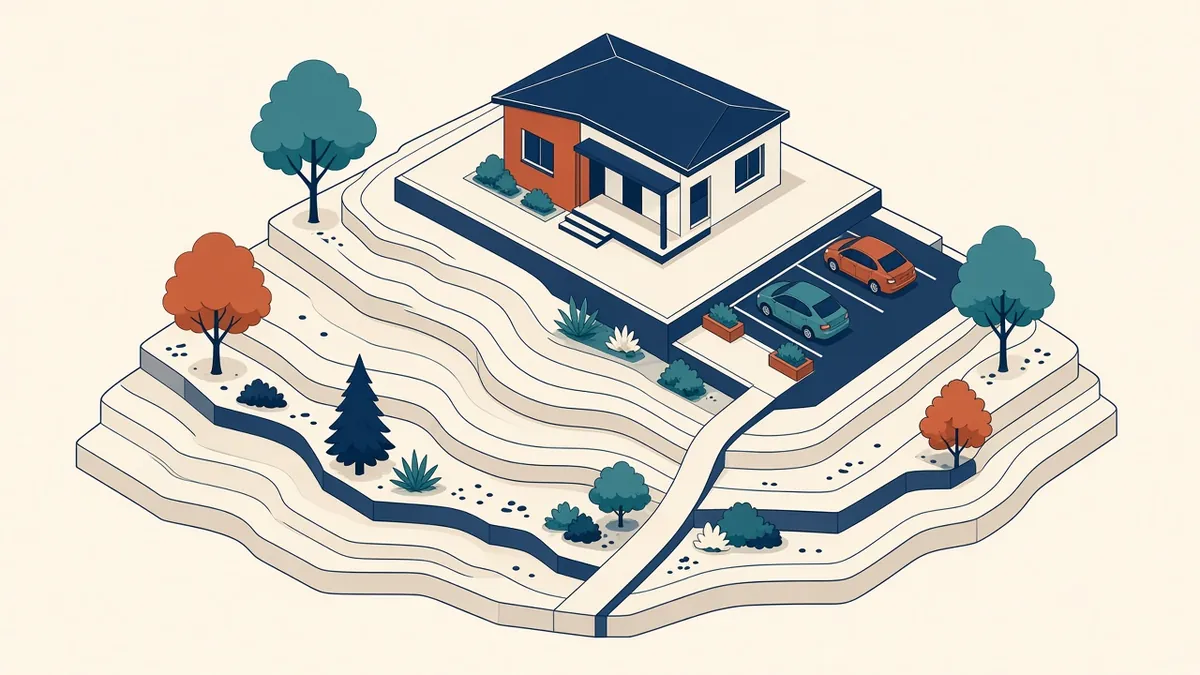
The building sits on a site, and the model should too. Getting topography right affects levels, drainage and presentation.
Site models help show how a building sits on its land, coordinate levels and produce site plans and sections. Revit provides tools for modelling terrain and site elements, based on survey data.
Terrain tools
Older Revit versions use toposurfaces, created from points or imported CAD contours. Revit 2024 introduced toposolids, which are solid terrain elements with thickness and layers. Check which tools your version uses and the workflow for each.
Starting from survey data
Survey data often arrives as CAD files with contours and spot levels, or as point files. Before creating terrain:
- Confirm coordinates and units
- Check that contours have elevation values
- Remove unnecessary layers and objects
Link the survey into Revit and set shared coordinates accordingly.
Creating terrain
Terrain can be created from imported CAD contours, point files or manually placed points. Review the result in 3D to catch errors, such as spikes from incorrect points.
Building pads and excavation
Building pads or equivalent tools cut terrain to accommodate the building's foundations or basement. With toposolids, excavation and sub-divisions handle this differently. Adjust the terrain where the building meets the ground.
Site components
Add site elements, such as paths, parking, planting and site furniture. Use simple families to keep the model light.
Site plans
Site plans in Revit can show terrain, buildings, boundaries and site elements. Add annotations, such as levels, setbacks and dimensions to boundaries, following local requirements.
Levels and grading
Proposed levels may need to be modelled to show grading. Coordinate proposed levels with civil engineers, who usually design drainage and grading in detail using civil tools.
Coordination with civil engineers
Civil engineers often use different software, such as Civil 3D. Agree how surfaces are exchanged, and use shared coordinates to align models.
Property lines
Property lines can be drawn from survey bearings and distances or sketched. They help check setbacks and areas.
Common problems
- Coordinates not aligned with survey
- Terrain spikes from bad data
- Buildings floating above or buried below terrain
- Very large site models slowing the building model
Keep it separate when large
For large sites, consider a separate site model linked into the building model. It keeps the building model lighter and lets site work progress independently.
- 01Terrain tools
- 02Starting from survey data
- 03Creating terrain
- 04Building pads and excavation
- 05Site components
- 06Site plans
Check survey quality
Terrain models are only as good as the survey. If the survey is old, incomplete or doesn't cover the whole site, raise it early. Missing levels at boundaries or around existing trees and structures are common gaps that affect design decisions, such as access gradients and drainage.
If your team needs extra production capacity for work like this, take a look at our Architectural production services, or tell us about your project.
Related articles

Levels, Grids and Coordinates in Revit
Getting the foundations of a model right so every link lines up.
Read more →
Pre-Design Research for Architecture Projects
Site, zoning, code and precedent research that sets a project up well.
Read more →
Linking Models in Revit: Best Practice for Teams
Linking consultant models, CAD and point clouds without causing chaos.
Read more →