
How Drawings and Specifications Work Together
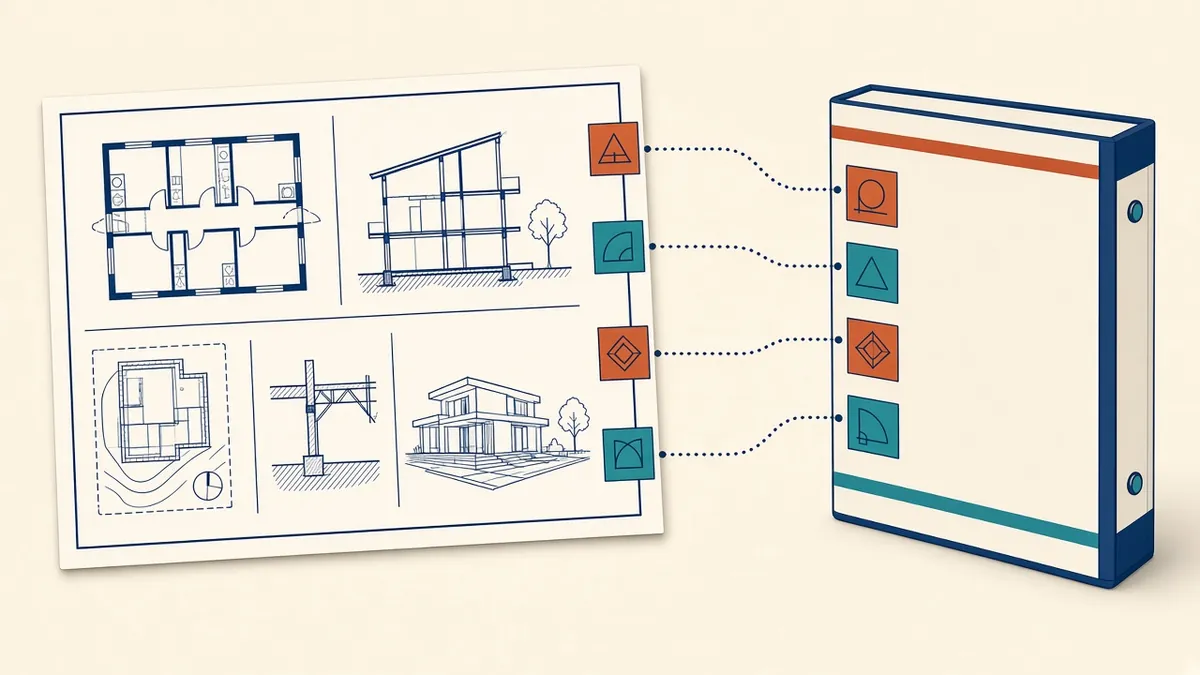
Drawings show what and where. Specifications say how well. When they contradict each other, everyone loses time.
Drawings and specifications together describe what's to be built. Drawings show quantity, location and relationships. Specifications describe quality, materials, workmanship and standards. When they're coordinated, they complement each other. When they're not, they create conflicts and claims.
The basic division
- Drawings: where things are, how big they are and how they connect
- Specifications: what they're made of, what standards they meet and how they're installed
A drawing might show a wall type and its location. The specification describes the plasterboard, studs, insulation and installation requirements.
Common specification systems
- US: many projects organise specifications using CSI MasterFormat divisions and sections
- UK: NBS specifications are widely used, often with Uniclass classification
- UAE: projects often follow US or UK practice depending on the client and consultant
Linking drawings and specifications
- Use the same terminology in both
- Reference specification sections or codes in keynotes and notes
- Use material codes that map to specification clauses
- Avoid describing material standards on drawings when the specification covers them
Keynoting systems in Revit can link notes to specification sections, which keeps references consistent.
Avoid duplication
Information that appears in both places risks being updated in one and not the other. If a note on a drawing repeats specification content, consider replacing it with a reference.
Precedence
Contracts often include an order of precedence clause, stating which document governs if there's a conflict. Don't rely on it. A conflict that has to be resolved by precedence is still a conflict, and it often leads to disputes.
Coordination checks
- Every product on the drawings has a specification clause
- Every specified product appears where it should on the drawings
- Terms match, such as product names and codes
- Performance requirements in the specification are reflected in drawn details
Who writes the specification
Changes during design
When a product changes, update both the drawings and the specification. A simple change log helps make sure nothing's missed.
- 01The basic division
- 02Common specification systems
- 03Linking drawings and specifications
- 04Avoid duplication
- 05Precedence
- 06Coordination checks
Agree the approach at the start
At the start of CDs, agree how keynotes, material codes and specification references will work, and who maintains them. A short protocol saves time later, because everyone uses the same system. It's also useful for outsourced production teams, who can then annotate drawings consistently with the specification from the first sheet.
Drawings and specifications are two halves of the same instruction. Treating them as one coordinated package reduces RFIs and gives contractors a clear picture of what's required.
If your team needs extra production capacity for work like this, take a look at our Architectural production services, or tell us about your project.
Related articles
Writing General Notes and Legends for Drawing Sets
Notes that help rather than contradict, and legends that read at a glance.
Read more →
Issuing Drawings for Tender or Bid
Getting a tender or bid set out cleanly, and handling addenda afterwards.
Read more →
Room Finish Schedules and Finish Plans
Choosing between schedules and finish plans, and keeping finish codes consistent.
Read more →