
Annotating Architectural Floor Plans Clearly
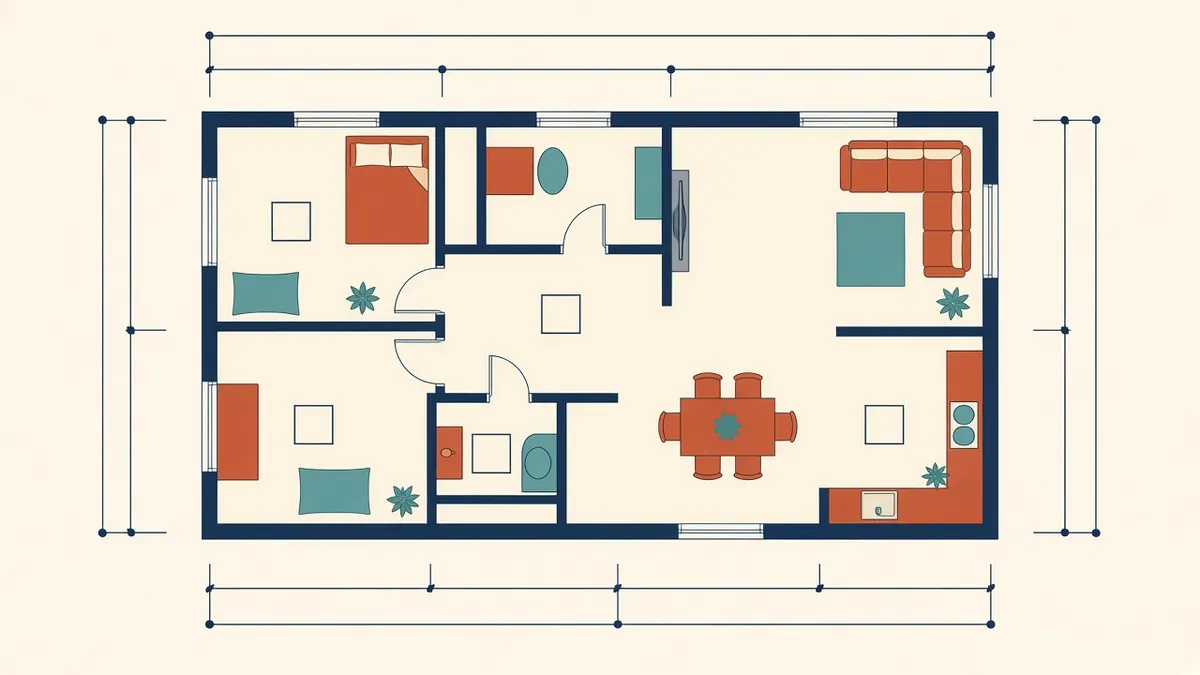
A floor plan can be geometrically perfect and still fail on site if nobody can read what it's telling them.
Floor plans carry more information than almost any other drawing in a set. The challenge is fitting it all in without the plan turning into noise. A clear annotation strategy makes plans easy to read, quick to check and less likely to cause questions on site.
Decide what each plan is for
Large projects often split plan information across several plan types:
- General arrangement plans for walls, doors, rooms and overall dimensions
- Setting out or dimension plans
- Finish plans
- Furniture and equipment plans
- Reflected ceiling plans
Splitting information this way keeps each drawing focused. Smaller projects may combine some of these, as long as the plan stays readable.
Dimensions
- Use a consistent hierarchy: overall dimensions on the outside, then grid dimensions, then openings and walls closest to the building
- Dimension to grids or structure where possible, so setting out has a fixed reference
- Be clear whether dimensions are to face of finish, face of structure or centreline, and state the convention in the general notes
- Avoid duplicating the same dimension on several plans, because duplicates drift apart when things change
Tags and room names
Room names and numbers, door tags, window tags and wall type tags should all come from controlled families or blocks. In Revit, tags read from element parameters, so a door schedule and the plan always agree. Keep tag sizes and positions consistent so the eye knows where to look.
Keynotes and text notes
Keynotes keep plans clean by replacing long notes with short references to a legend. They work best for repeated items. Use text notes sparingly for one-off information, and keep them close to what they describe, with a clear leader.
Line weights and graphics
Cut elements, such as walls, should read heavier than elements seen beyond. Use halftone for background information, such as consultant underlays or existing elements not being changed. Good graphics reduce the need for extra notes.
References
Common problems
- Text overlapping dimensions or walls
- Tags placed far from their elements
- Inconsistent text sizes from manual overrides
- Notes that refer to items that were removed in an earlier revision
Quick checks before issue
- Print a sample sheet at full size and read it as a contractor would
- Check that dimensions close to overall strings
- Look for missing door or room tags using schedules
Readable plans aren't about less information. They're about putting each piece in the right place, so people find what they need at a glance.
If your team needs extra production capacity for work like this, take a look at our Architectural production services, or tell us about your project.
Related articles

Choosing Drawing Scales for Architectural Sets
Which scales suit which drawings, in both metric and imperial sets.
Read more →
Enlarged Plans for Toilets, Kitchens and Stairs
Where general plans run out of room, and how enlarged plans fill the gap.
Read more →
Door and Window Schedules That Stay Accurate
What to include, how to generate them and how to keep them in step with the plans.
Read more →